2025-12-12:
GoAT diagrams
I’ve always been amused by tables in markdown:
| Column 1      | Column 2      |
| ------------- | ------------- |
| Cell 1, Row 1 | Cell 2, Row 1 |
| Cell 1, Row 2 | Cell 1, Row 2 |
It looks really simple and reasonable, and I have no idea how else to make it. But it’s absolutely incomprehensible, unusable, and impossible to make beautiful without a really smart editor.
You can make it ugly and it will still work, but it’s ugly!
But tables are something for the weak and obedient to the gods.
People rebelled, and decided to fully anger the gods, and came up with GoAT diagrams.
Delightfully traumatic. Infinitely cursed.
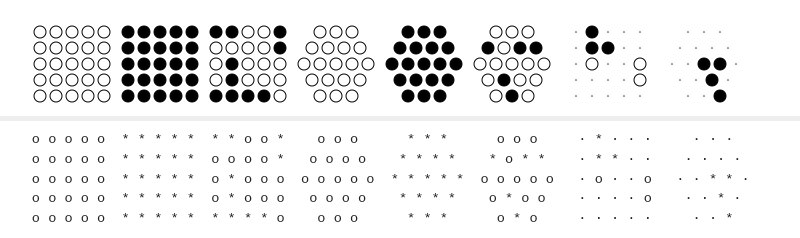
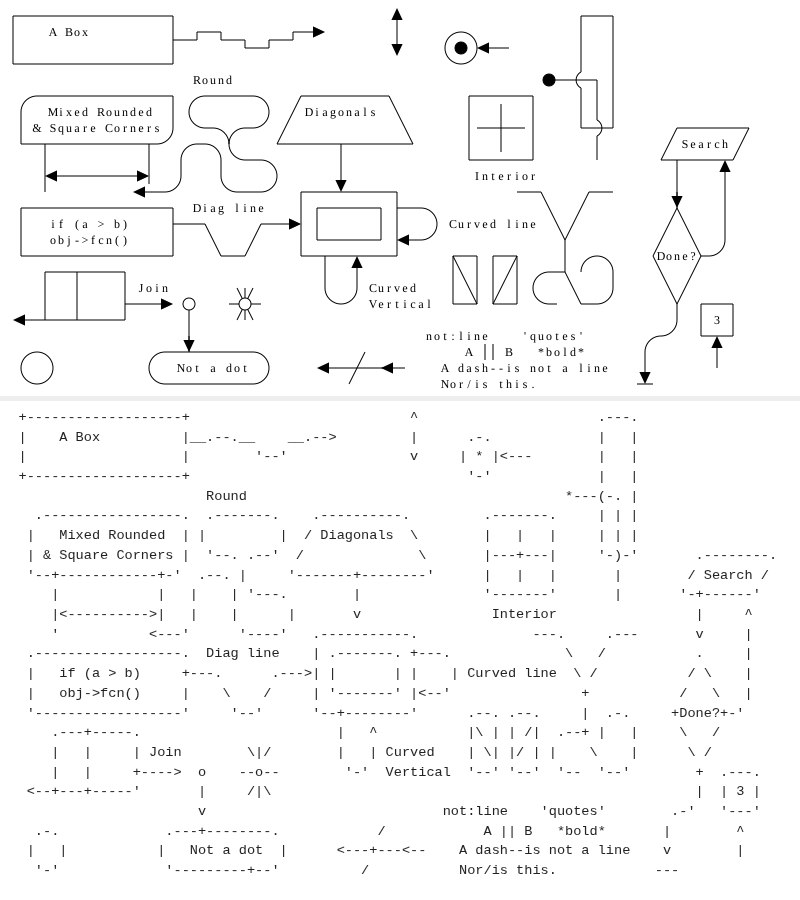
#cursed
#godslayer
#gods-layer
2025-12-09:
Watchdog and cron
You already know I despise systemd a bit more than wayland, but the future will be in the future, and the past will still be in the past.
I have message queues and bees workers. Workers die each hour, but my lovely cron resurrects them and forces them to work.
It's just a single server and there won't be any more (but there will be fewer), so don't shame me, please.
There are a lot of workers (very few) and even more queues (a very few of few). They lived in harmony, but I did something wrong and the workers began their deadly loop and started eating memory. And they ate it all.
Using simple spells like "it worked before, which means my changes from yesterday are at fault" it was quite simple to find the broken worker. It was killed, and the rest were told to keep working while ignoring the corpse nearby.
And they worked. For an hour. And then they didn’t. Run them manually — works. Leave them alone — doesn’t.
That was weird, as cron wasn't touched, memory wasn’t leaking, but the workers didn’t want to work.
The book of life (/var/log/syslog | grep -i cron) told me that cron worked fine, but not since long ago. And then it didn’t.
It turned out that when the workers ate all the memory — watchdog killed cron. I doubt it realized that cron was the initial culprit; it was simply near the paw of death.
For the very first time in my life, watchdog killed cron! Unbelievable!
Would systemd timers survive? Would the paw of death smite them?
It's a mystery. I could run an experiment, but no. Imperative knowledge is only for people with weak faith.
#linux
#cron
#oom
#outofmemory
#memory
#memoryleak
#loopofdeath
#systemd
#systemdtimers
2025-12-06:
Photodump


#photocard
#photodump
2025-11-28:
Someone ruined the internet (x)
We all know that email@example.com is an email address. But what does an email address mean?
It means that on a server with the address example.com there is an account named email.
We also know it’s an email address, so we know which port to poke and what protocol to choose (details in dns).
And every *nix account can be written as user1@computer1, which means that on computer1 there exists an account user1.
The symbol @ literally means at:
user-at-computer1email-at-example.com
Cose. Uniform.
And then Twitter comes along and decides that everyone will be @user2, and breaks the internet.
TWITTER SHOULD HAVE USED user2@!!!111
We lost everything. Dark times are ahead.
#deep
#blasphemy
2025-11-27:
Wordpress actions hooks and filter hooks
There are two types of hooks: Actions and Filters.
Actions allow you to add data or change how WordPress operates.
Filters give you the ability to change data during the execution of WordPress Core, plugins, and themes.
function add_action( $hook_name, $callback, $priority = 10, $accepted_args = 1 ) {
    return add_filter( $hook_name, $callback, $priority, $accepted_args );
}
public function has_filters() {
    foreach ($this->callbacks as $callbacks) {
        if ($callbacks) {
            return true;
        }
    }
return false;

}
#php
#wordpress
#why
2025-11-25:
Aluminum OS
Google's new 'Aluminium OS' project brings Android to PC
Will they make a fork "Aluminum OS"?
#deep
2025-11-22:
.ssh/unknown_hosts
When ssh connects to an unknown host, it asks the user to type "yes". No one knows why we should do it, but ssh will not connect without it.
You can avoid this prompt in two ways:
# 1. Disable security check (unsafe)
$ ssh -o "StrictHostKeyChecking no" user@example.com
# 2. Automatically make remote host known
$ ssh-keyscan -t rsa example.com >> ~/.ssh/known_hosts
$ ssh user@example.com
There was no warning in the second case! And not because we disabled safety check, we made the host known to us!
Now you should understand that professional do different choices. Be professional, choose safety!
#linux
#ssh
#safety
2025-11-18:
OTP registration
What if we look on OPIE and OTPW and decide we dont want it.
And we make registration by OTP generation. Singlefactory. While you have access to key -- you have access to the service.
No need to know any password, no any use of e-mails and logins.
Cool! Dumb and cool!
#whaif
#hearmeout
#idea
#otp
2025-11-16:
Zola SSG: the story of success
Many burned candles had I burn to figure out how the static site generator zola works.
It uses .md files, and it seemed like the safest option.
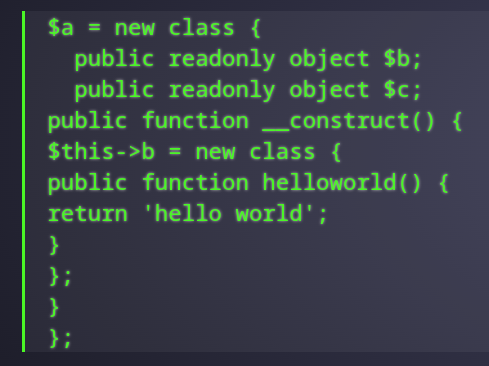
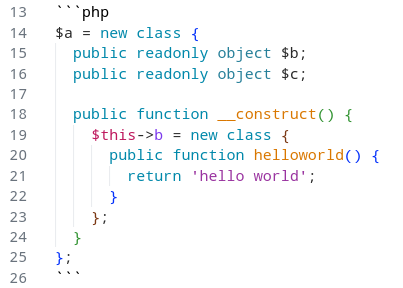
Apparently it can't render ``` and for some unknown reason it wraps everything in layers of <code> and <p> even with disabled highligting.
That’s unfortunate -- to fall on the text you shouldn't touch.
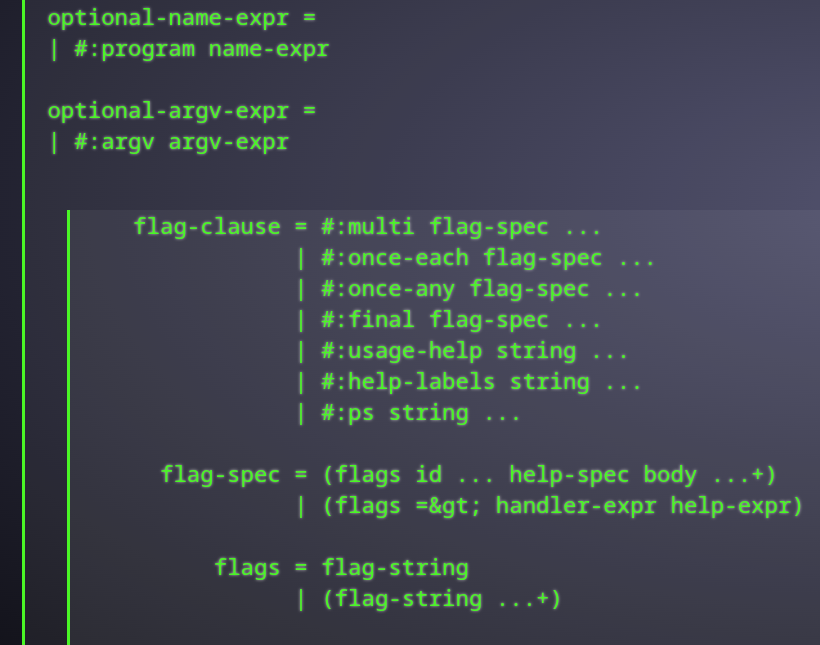
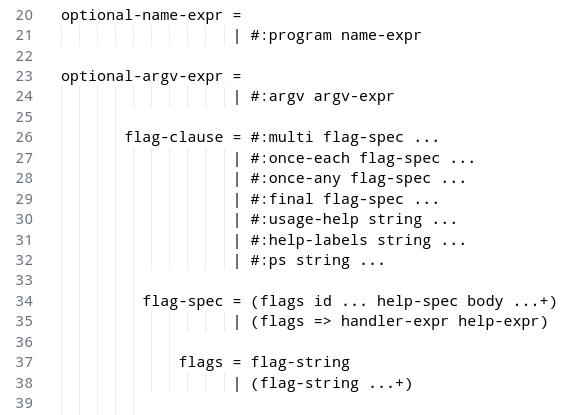
#zola
#web
#ssg
#markdown
#wtf
2025-11-10:
git vs git --bare
Your git repository could exist in two instances: normal and --bare. Normal is a ~git-client, not normal is a ~git-server. Not exactly, but --bare exists to be a remote in normal repositories. And it also doesn't have files inside.
You can create on your VPS a --bare repository and via ssh synchronize it, avoiding any services like github. And everyone with ssh access can use it as a remote.
Astoundingly, when you create normal it creates a directory for itself <repo>/.git</repo>, but when --bare it uses the given path as .git.
$ git init ./git-normal/
Initialized empty Git repository in /tmp/.dotfiles/git-normal/.git/
$ git init --bare ./git-bare/
Initialized empty Git repository in /tmp/.dotfiles/git-bare/
$ ls -lah git-normal/
.git/
$ ls -lah git-bare/
hooks/
info/
objects/
refs/
HEAD
config
description
Funny joke: if you put --bare in ./.git/, it will look like ./ has a git repository, and it is there, but it is not!
fatal: this operation must be run in a work tree
#linux
#howto
#man
#git